The product
Your POS system,
from sale to stock.
Bnez POS is point-of-sale software for cafés, restaurants and retailers. Connect checkout, inventory, kitchen orders and daily reports in one place.
01 · At the counter
A checkout that knows your menu.
Choose an item, its size and any add-ons. Apply a discount, record cash, GCash or Maya, and print a receipt when needed. Bnez works out the change. For customers paying later in their visit, keep the order on an open tab.
Explore 11 menu items and split a sample bill between Cash, GCash or Maya. No real payments. Open full demo ↗
02 · Behind the counter
Know what needs restocking.
Track products and the ingredients in your recipes. Sales update the stock linked to the items you sell. Receive new supplies, set low-stock reminders, and use recent usage to plan your next buy.
Explore inventory management ↗03 · Your numbers
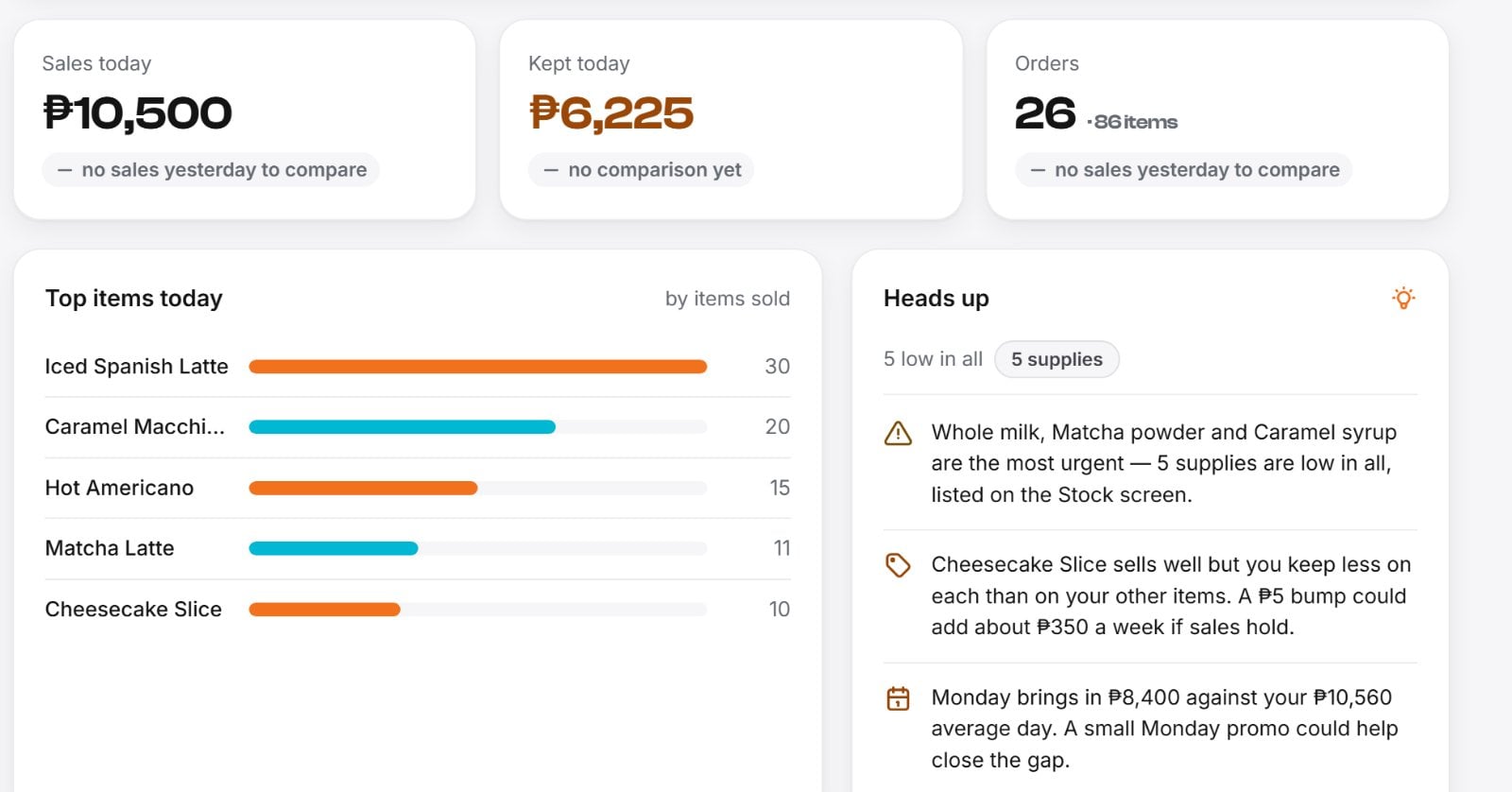
See how the shop is doing.
Check what you sold, what you kept and which items are moving. Daily, weekly and monthly views help you spot changes. Record your expenses so your reports reflect more of what it takes to run the shop.
The everyday details
Ready for the rest of the shift.
Offline checkout
After online setup, keep recording sales on that device when the connection drops. Saved sales sync when it returns. Open tabs and shared kitchen updates need a connection.
See offline features and setup ↗A screen for the kitchen
Send orders to the kitchen or bar. Each station can follow its own work and mark its part ready, helping the team keep track during a rush.
Separate staff accounts
Give each team member a sign-in and choose their permissions. Keep owner reports and cost information restricted while staff handle the counter.
A clearer closing count
Start with your cash float and finish with a drawer count. See cash, GCash and Maya totals separately, with any cash difference clearly shown.
Before your demo
Questions about Bnez POS.
What does a POS system do?
A point-of-sale system records the items a customer buys and the payment you receive. Bnez connects those sales with stock, kitchen orders and reports, so you can follow more of the day in one place.
Can I try Bnez before choosing a plan?
Use the sample checkout above to explore a sale. Book a guided demo to discuss your menu or products, staff roles and the devices you want to use. The sample checkout does not process real payments.
Does Bnez accept payments for me?
Bnez records the payment method for a sale. Your payment provider handles the transfer or transaction. Confirm receipt of wallet payments with your provider before recording them as paid.
Does the POS work without internet?
After signing in and loading your menu online, you can record supported sales on the same device during a connection outage. They sync when the connection returns. Open tabs, shared kitchen updates and account changes need internet. Read the offline checkout guide for setup and limits.
How much does Bnez POS cost?
The published plan for new subscriptions is ₱1,499 per month, per store. See the pricing page for included tools and discuss devices or additional services during your demo.
See it for yourself
Picture your shop here.
Walk through a sale, explore the reports and talk through your setup with us.